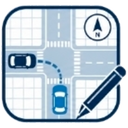
Draw a car accident diagram while you still remember the details
After a crash, memories fade fast — within days, both drivers remember different collisions. A simple car accident diagram made the same day fixes the positions, directions and point of impact while they are still fresh, and gives your insurer a picture instead of a paragraph.
Draw your car accident diagramWhat your diagram should show
You do not need drafting skills. A useful car crash diagram answers four questions:
- ▸Where was each car? Place V1 and V2 on the road layout in their positions at impact.
- ▸Where was each car going? Draw a travel arrow for each vehicle.
- ▸Where did they touch? Mark the point of impact with the impact symbol.
- ▸What else mattered? Add the stop sign, traffic light, parked car or obstruction that played a role.
Add the details that identify the vehicles
Each vehicle in the tool carries a license plate and a short description (make, color, damage area). The export prints them in a table under the diagram, so whoever reads it — your insurer, a lawyer, the other driver — knows exactly which car is which.
Keep a copy for yourself
Export the finished diagram as a PDF or PNG and keep it with your photos of the scene. The tool stores your draft only in your own browser, so the exported file is your record.
How it works
- 1. Do this the same day if you can, while you still remember which lane each car was in.
- 2. Place both cars, rotate them to their real angles, and add the plates.
- 3. Draw each car's direction of travel and mark the point of impact.
- 4. Export the PDF and keep it with your photos — that pair is your record of the day.
Frequently asked questions
Will my insurance company accept this diagram?
Most insurers welcome a clear diagram with a claim, but requirements vary — check your insurer's claim instructions. The diagram is illustrative, not an official reconstruction.
Do I need to sign up?
No. The tool is free, with no account. Your draft stays in your browser.
Can I do this on my phone at the scene?
Yes, the editor works on phones — though photos, safety and the exchange of information come first.